Features
Imports
Bring playlists from other services and files into Nuvo, and review the matches.
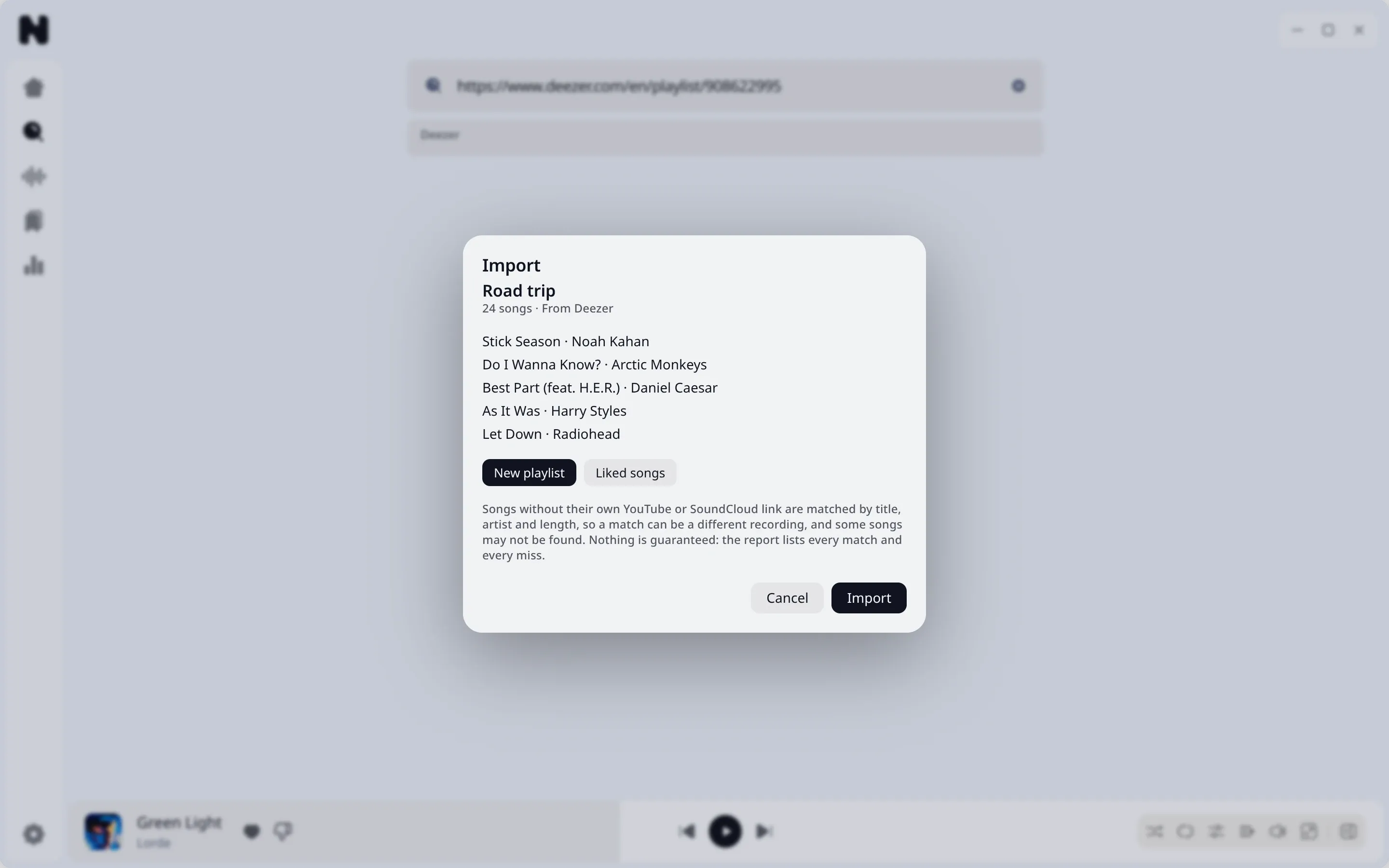
Sources
| Source | How |
|---|---|
| YouTube and YouTube Music playlists | Paste the link |
| SoundCloud playlists and sets | Paste the link |
| Apple Music playlists | Paste the link |
| Deezer playlists | Paste the link |
| CSV files, including Exportify files from Spotify | Drop or choose the file |
| Nuvo JSON files | Drop or choose the file |
| M3U and M3U8 files | Drop or choose the file |
A Spotify link cannot be read directly. Export your playlist as a CSV with a tool such as Exportify and import the file.
What happens
- Nuvo reads the list of songs: title, artists, duration.
- For each song it searches YouTube Music and SoundCloud, scores the candidates, and accepts clear matches.
- Unclear songs wait for you in a review step with the proposed track and the reason: low confidence, ambiguous match, duration mismatch, no candidates, or a failed lookup.
- You choose a target: a new playlist, your likes, or an existing playlist.
You can approve or reject rows one by one or in bulk, search for another match, and skip songs.
Report
When the import ends, you get a report of what matched and what did not. You can download it as a CSV.
An import is a job in your database. If you close Nuvo, you can continue later.
Limits
Matching depends on what the catalogs return. Check the review step for songs with several versions.