Features
Settings
The 23 sections of Settings, search by any word in English and Russian, and Ctrl+K to jump to a setting.
Open Settings with the gear at the right of the top bar, or at the foot of the side rail. Each topic has its own section with a plain name, and each option lives in one place.
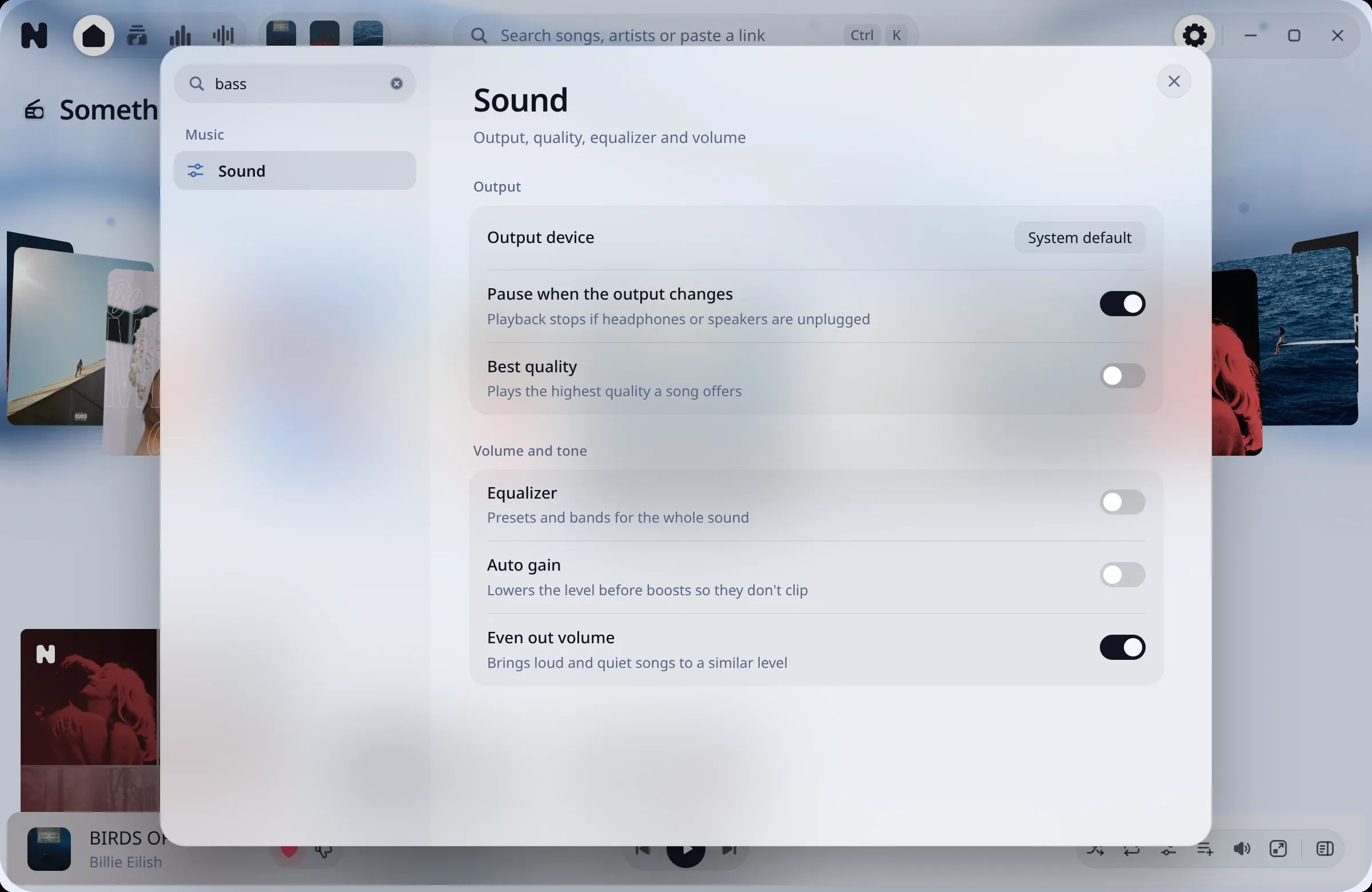
Find a setting
Type in the search field at the top of Settings. It matches the name of a setting, its description and other words people use for it, in English and Russian. “EQ” and “bass” find the equalizer, “tray” finds the tray switch, “VPN” finds the proxy, “8D” finds moving sound.
From any screen, press Ctrl+K and type the same words. Pick a setting and Nuvo opens its section, scrolls to the setting and marks it for a moment.
Sections
| Group | Section | What is there |
|---|---|---|
| Language | The language of menus, buttons and messages | |
| Startup and window | What Nuvo opens with, the tray, the applications menu | |
| Updates | Check for updates at launch, Update automatically and What’s new | |
| Music | Playback | What a click on a song does, the default speed |
| Between songs | Similar songs after the queue, crossfade, keeping the speed | |
| Sound | Output device, pause when the output changes, best quality, equalizer, auto gain, even out volume | |
| Spatial sound | Moving sound, its path and speed | |
| Lyrics | Lyrics highlight, word timing, the lyrics model, Scene | |
| Look | Theme | Preset, light and dark, navigation, accent from the cover, custom CSS |
| Fonts | Interface and lyrics fonts, text size, loaded font files | |
| Background | A picture or video behind every screen | |
| Player | Player controls, cover glow | |
| Motion | Reduce effects, moving backgrounds | |
| Notch | Mode, what it shows, placement, panel widgets | |
| Shortcuts | Keys for every action | |
| Services | YouTube | Your YouTube account |
| Last.fm | Scrobbling with your own API key | |
| Discord | Show what you listen to | |
| Application | Privacy | Pause statistics, hidden music, the library key |
| Storage | Cache limit, the format for saved songs | |
| Network | Offline mode, proxy, connection check and report | |
| Tools | The helper programs Nuvo downloads by itself | |
| About Nuvo | Version, edition, community, Report a problem |
Links from older versions still work: they open the section that holds the setting now. Your saved settings did not change.
Plain look for now
If your theme, fonts or custom CSS make Nuvo hard to use, Plain look for now in Settings, Theme switches them off until you turn them back on. Nothing is deleted. See themes and custom CSS.